Edit activity types
For any existing activity type, you can change the following settings:
The activity type's name
Which activity type group the type is assigned to
The Timeline Color setting (if the type is not part of an activity type group)
Which attributes are attached, and which are set as required
The activity type's options, such as:
Assigned KPIs
Configured Outbound Actions
Whether optional features like Estimated Costs or Impact Modeling are enabled (or set as required)
Edit an activity type
In the
 Activities section, click
  Settings: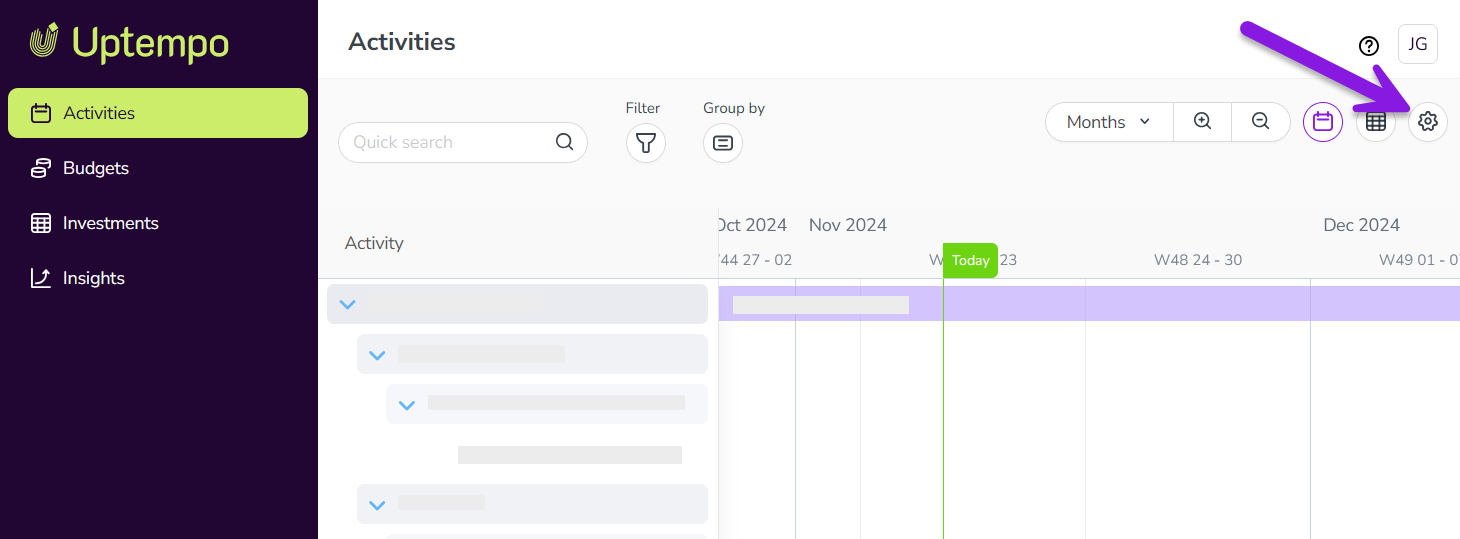
In the Activity Configuration menu, click Activities > Types & Groups.
In the list panel on the left, click the activity type you want to edit. The selected activity type's settings are shown in the settings panel on the right.
Make changes to the activity type's settings as needed.
Optional: Make changes to the activity type group's attributes on the Attached attributes tab.
For any attached attribute, select or deselect the Required option to change whether the attribute is mandatory.
Click
 Detach Attribute to remove an attribute from the activity type group.
All changes are saved automatically, and take effect immediately.