What's new: 2025.5
Discover all the new Uptempo features introduced with the 2025.5 release, available from May 28, 2025.
For details about bugs that have been fixed this month, see the bug fixes page.
Campaign Management: API
More New API Endpoints for Multi-Activity Funding APIs
To give developers more flexibility in integrating external systems with Uptempo's Multi-Activity Funding feature, we have created more new API endpoints to interact with this feature. These new capabilities unlock additional ways to use the API to interact with Uptempo's activity funding mechanisms:
You can now modify allocations of line item funds amounts (including the unallocated amount) to connected activities, with support for original and converted currencies, as well as the ability to set negative unallocated amounts.
While modifying allocation amounts, you can now also connect new activities with the same API request.
Learn more about how to use the Multi-Activity Funding API endpoints
Financial Management: Investments
Enhanced Filtering Capabilities for Budget Allocation Tracking
We have added more filtering options to the investment hierarchy table to give you better insight into activity funding and funds allocation. Previously, you could filter the table to see only investments that are connected to activities. With the new and expanded Filter by Activity Funding options, you can now additionally see the specific amounts allocated to connected activities. And the opposite view is now also available, allowing you to see investment amounts not yet allocated to any activity. These new filter options provide a more complete view of how your investments support activities, helping you to manage budgets and make informed decisions.
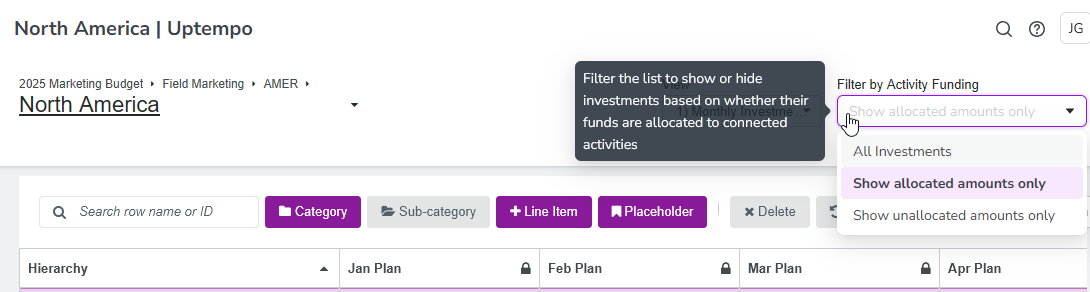
→ Learn more about filtering investments by activity funding
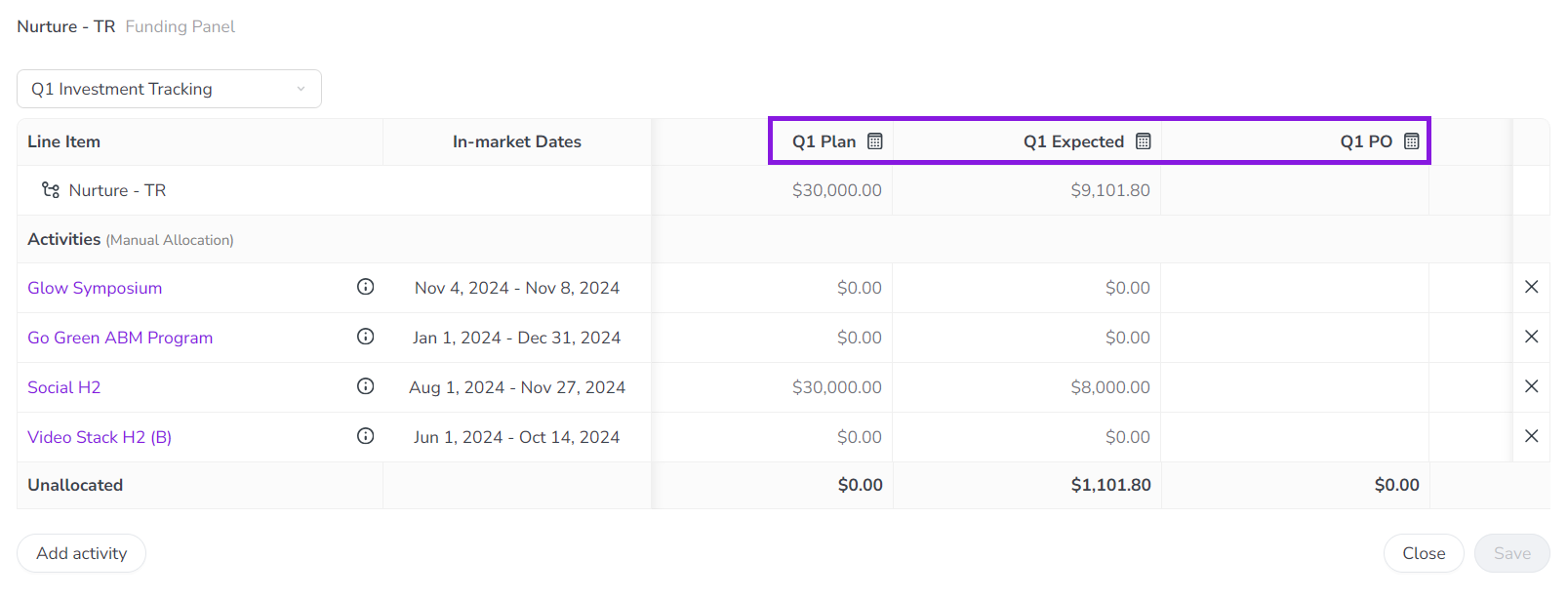
Calculated Columns in Activity Funding Panel
The Activity Funding Panel now displays calculated columns. Previously, if a Financial Management View contained calculated columns, these columns weren't visible when allocating funds from investments to connected activities. Now, if you select a View in the Activity Funding Panel that includes calculated columns, those columns are shown in the panel. Just like elsewhere in Uptempo Financial Management, calculated columns in the Activity Funding Panel are marked with a  Calculated icon by their column name, and their contents can't be edited.