Set the primary plan currency
You can set the primary currency for activities according to your preferences. All monetary amounts on all activities (such as Estimated Costs) for all activities are shown in the primary currency you select.
Set the primary plan currency for the activity hierarchy
In the
 Activities section, click
  Settings: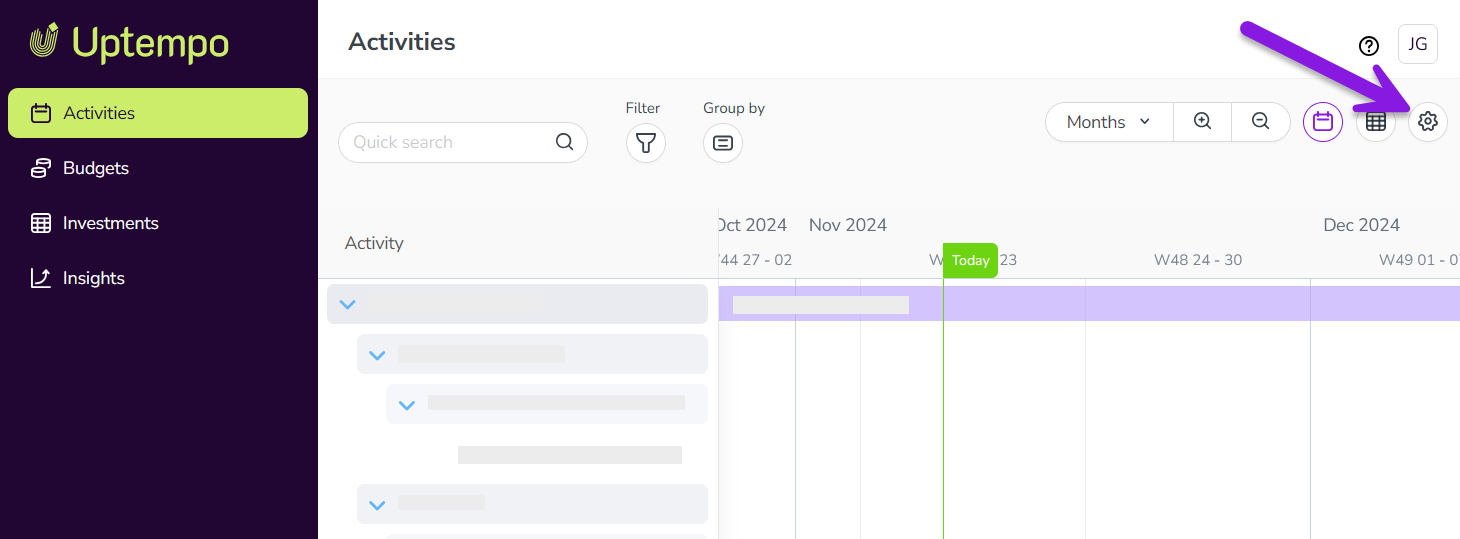
In the Activity Configuration menu, click Currencies.
On the Primary Plan Currency page, use the Currency menu to select the currency you want to use:
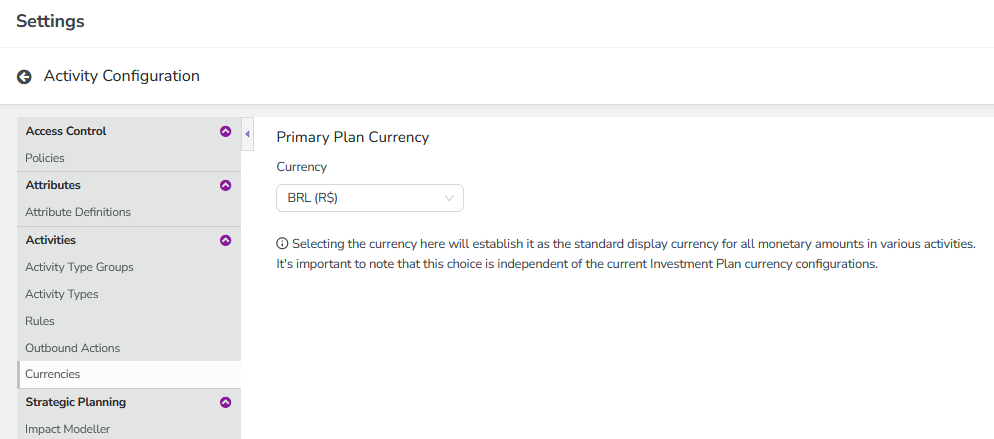
The change is saved automatically, and takes effect immediately.
22 May 2026