Make changes to your Uptempo user profile
You can update your personal details, and adjust your user preferences, on your user profile.
View and edit your user profile
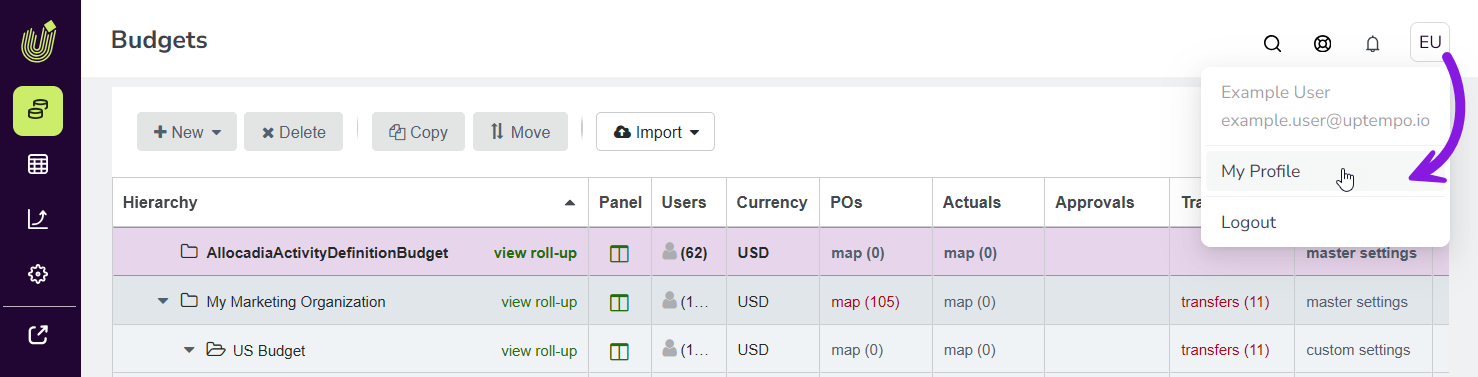
On any page in Uptempo, click the User Menu (the button with your initials) in the page header.
In the User Menu, click My Profile:
The Edit Profile page opens, and displays your personal information and settings:
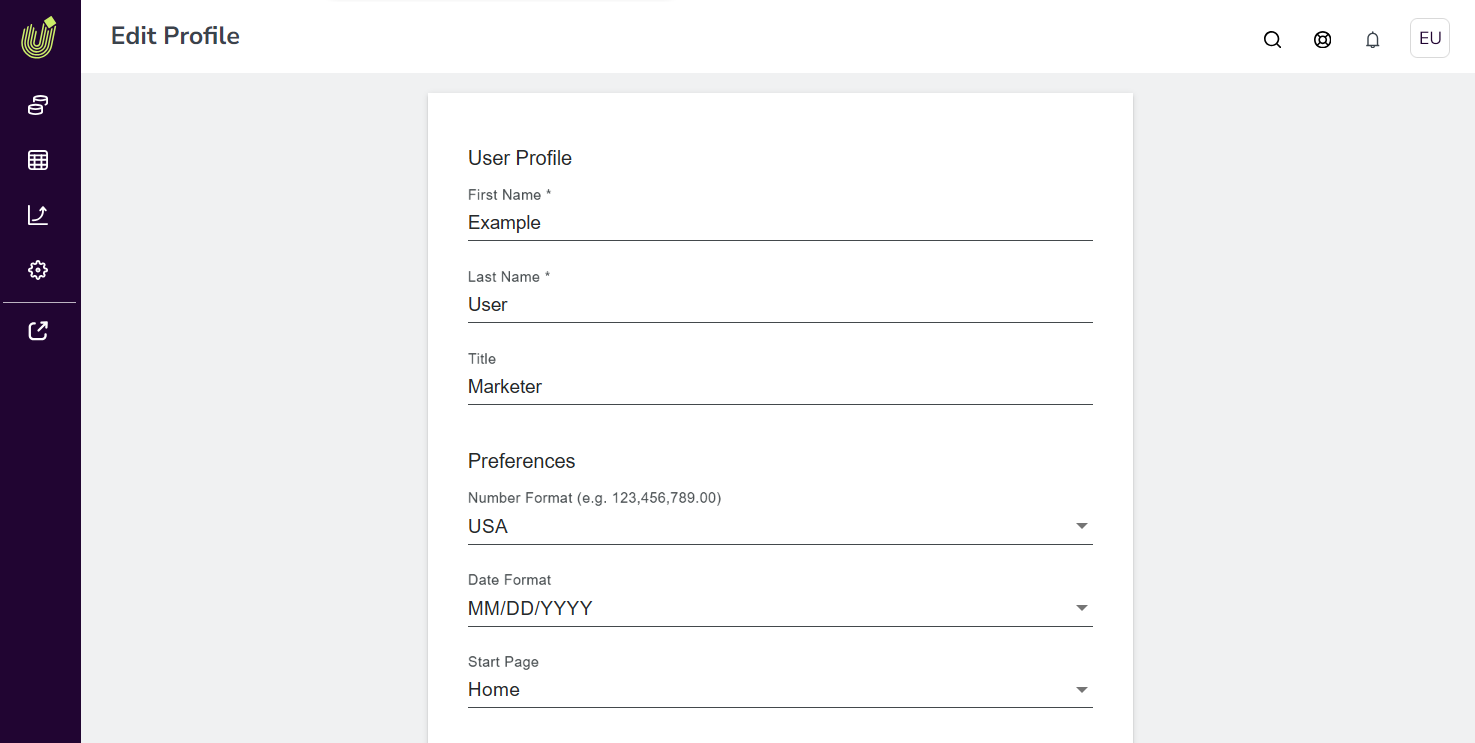
To edit your first name, last name, and title, use the fields in the User Profile to make changes.
Your changes are saved automatically, and take effect immediately.
See also
On your user profile, you can also:
22 May 2026