Delete attributes
If you no longer need an attribute, you can delete it at any time.
Delete an attribute
In the
 Activities section, click
  Settings: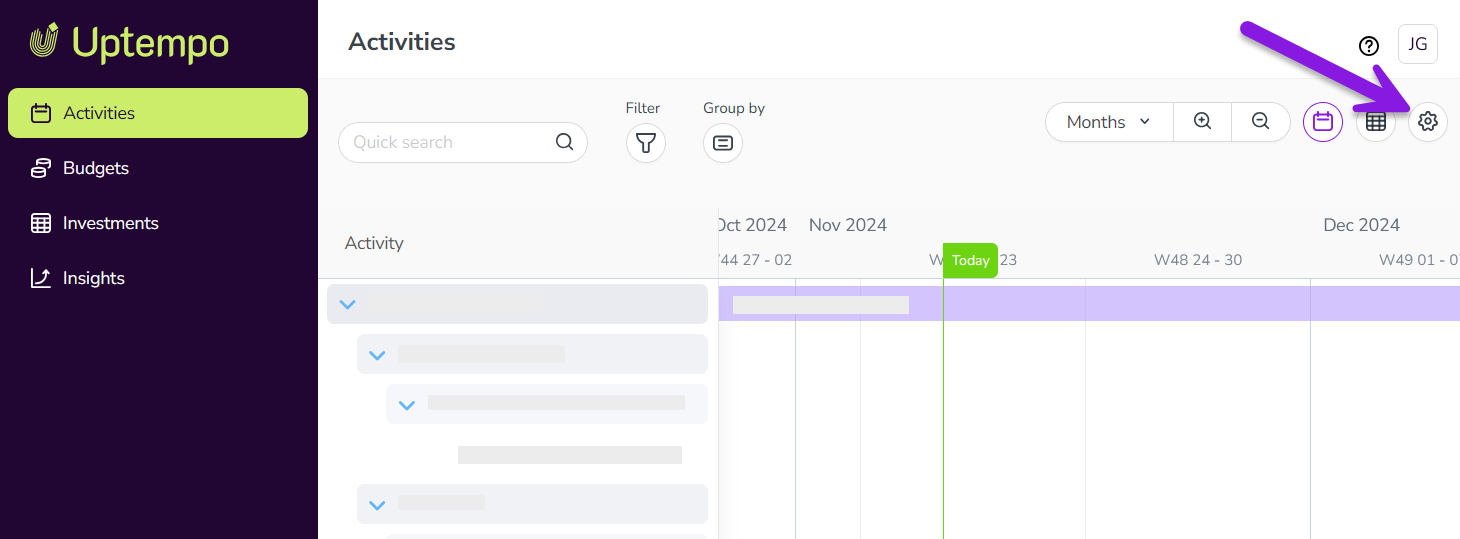
On the Activity Configuration page, the Attribute Definitions section should be displayed by default.
If you're on a different page, click Attributes > Attribute Definitions in the navigation menu.
The table in the Attribute Definitions section displays a list of all existing attributes. Find the attribute you want to delete and click on it to select it and open its Attribute Detailspanel.
You can also enter a keyword into the Search field to filter the table so that only attributes with a name or type matching the keyword are shown.
Use the Attribute Details panel to check that you have selected the correct attribute.
Click Delete.
In the Confirm Delete dialog, click Yes to delete the attribute.
The attribute is removed from the Attribute Definitions list, and from all activity types and activities where it was used, with immediate effect.