Edit attributes
You can edit an existing attribute at any time to make changes to its settings, such as its name or list options.
Edit an attribute
In the
 Activities section, click
  Settings: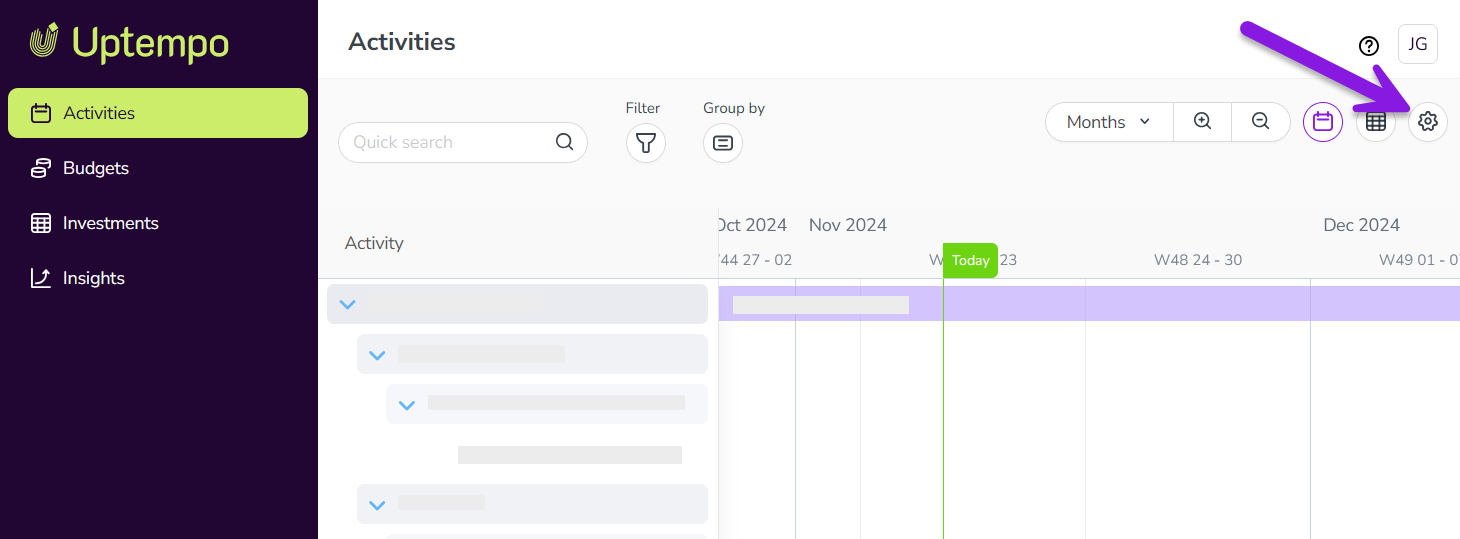
On the Activity Configuration page, the Attribute Definitions section should be displayed by default.
If you're on a different page, click Attributes > Attribute Definitions in the navigation menu.
The table in the Attribute Definitions section displays a list of all existing attributes. Find the attribute you want to edit and click on it to open its Attribute Details panel.
You can also enter a keyword into the Search field to filter the table so that only attributes with a name or type matching the keyword are shown.
Use the fields and options in the Attribute Details panel to make changes to the attribute. Your changes are saved automatically.
See Create and configure attributes for instructions on how to configure an attribute's settings.
When you are finished, exit the Activity Configuration page by navigating to any other section in Uptempo.
Your changes take effect immediately.