Edit investment attributes
The investment details panel is where you can select attributes that allow you to align investments with objectives and also track metadata related to spend. The details panel lets you view and edit your Key Performance Indicators (KPIs), giving you information for running reports on Insights. When you fill out values in the details panel describing how your investment will align, you are also creating ways to slice and dice your marketing spend in the reporting.
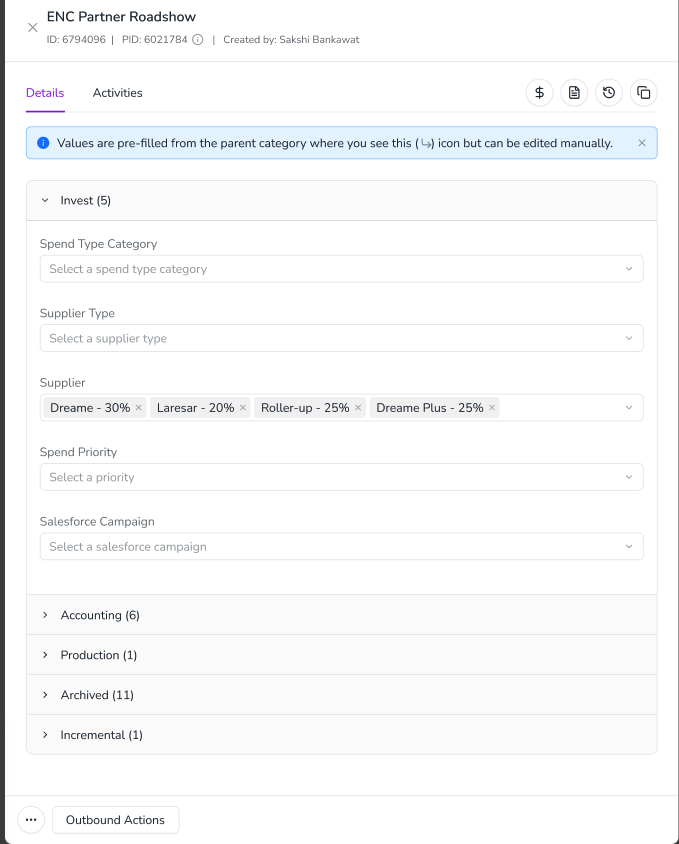
Edit an investment's attributes
In the
 Investments section, click
  Open Panel on an investment. The details panel open from the right side of the investment plan.
On the details panel, fill out the form with attributes that best describe your investment.
Click X to close the panel.
The panel is closed. You have entered or edited the attributes for the investment. When all required fields are filled out, the icon turns black. If you open the details panel again, the Line Item ID is displayed in the header.
How to edit the attributes of an investment plan efficiently
In the Investments section, attribute details can easily be added at the category and sub-category level. These attribute values then cascade down to the line items within the categories and sub-categories. This saves time and eliminates the need to complete detailed entries for every investment because the details filter down from the top-level folder. You can always go back and make minor adjustments at the investment level after the initial entries were made at the folder level.