What's new: 2025.1
Discover all the new Uptempo features introduced with the 2025.1 release, available from January 31, 2025.
Campaign Management: Activity Configuration
Set Estimated Costs fields as required for an activity type
We have added the option to set Estimated Costs fields as required for any activity type. You can enable this option for an activity type if you want to require users to fill out the Estimated Costs fields whenever they create or edit an activity of that type.
Campaign Management: Activities
Estimated Costs roll-ups at all levels
To better support bottom-up planning, Estimated Costs now roll up all the way to the top of the activity hierarchy in both the Summary display mode, and any activity's details panel. Previously, Estimated Costs would only roll up one level: an activity displayed a roll-up total if its child activities (one level down) had Estimated Costs set, but not if the Estimated Costs were set on activities two levels down or lower. Now, activities always display an Estimated Costs roll-up total, no matter how many levels down the values are set. For example, the top-level activity will display a roll-up total even if all the Estimated Costs are set only on activities at the bottom of the hierarchy, six or seven levels down. And just like before, if an activity on a level in between has its own Estimated Costs value set, this value will override the roll-up total for that level, and will be used to calculate roll-up totals for levels above it.
Summary display mode performance improvements
We have implemented a variety of performance optimizations to ensure that the Summary display mode loads quickly and remains responsive, even if the table contains hundreds of activities.
Financial Management: Investments
Improved user experience when connecting activities to investments
Based on user feedback, we have implemented a set of UX/UI enhancements to improve the user experience when you connect Uptempo Campaign Management activities to Uptempo Financial Management investments. The changes include tweaks to various actions, workflows, and system behaviors, so that they are now more intuitive and easier to use. We have also revised numerous text elements (including button labels, tooltips, messages, and more) to more clearly communicate how the feature works.
Exporting investment data now supports the linked activities filter
When you use the export function to download investment data from Uptempo Financial Management, the Export Current View option will now take the linked activities filter into account. If the Show activity linked items filter option is enabled when you perform an export, the exported data will now include only investments that have links to Uptempo Campaign Management activities.
Uptempo Platform: Administration
Automated user creation via SAML for SSO integration
Single sign-on integration now automates account creation and synchronization using identity provider data across all Uptempo modules, thus streamlining enterprise user management. The enhanced process ensures consistent permissions through group features while eliminating manual user entry requirements for Campaign Management & Financial Management users.
Redesigned user profile page
The previous user profile page was challenging for users to efficiently manage their settings or navigate away from the profile view. To enhance usability, we have introduced a standalone profile page with a better user experience. The new design retains all existing profile information.
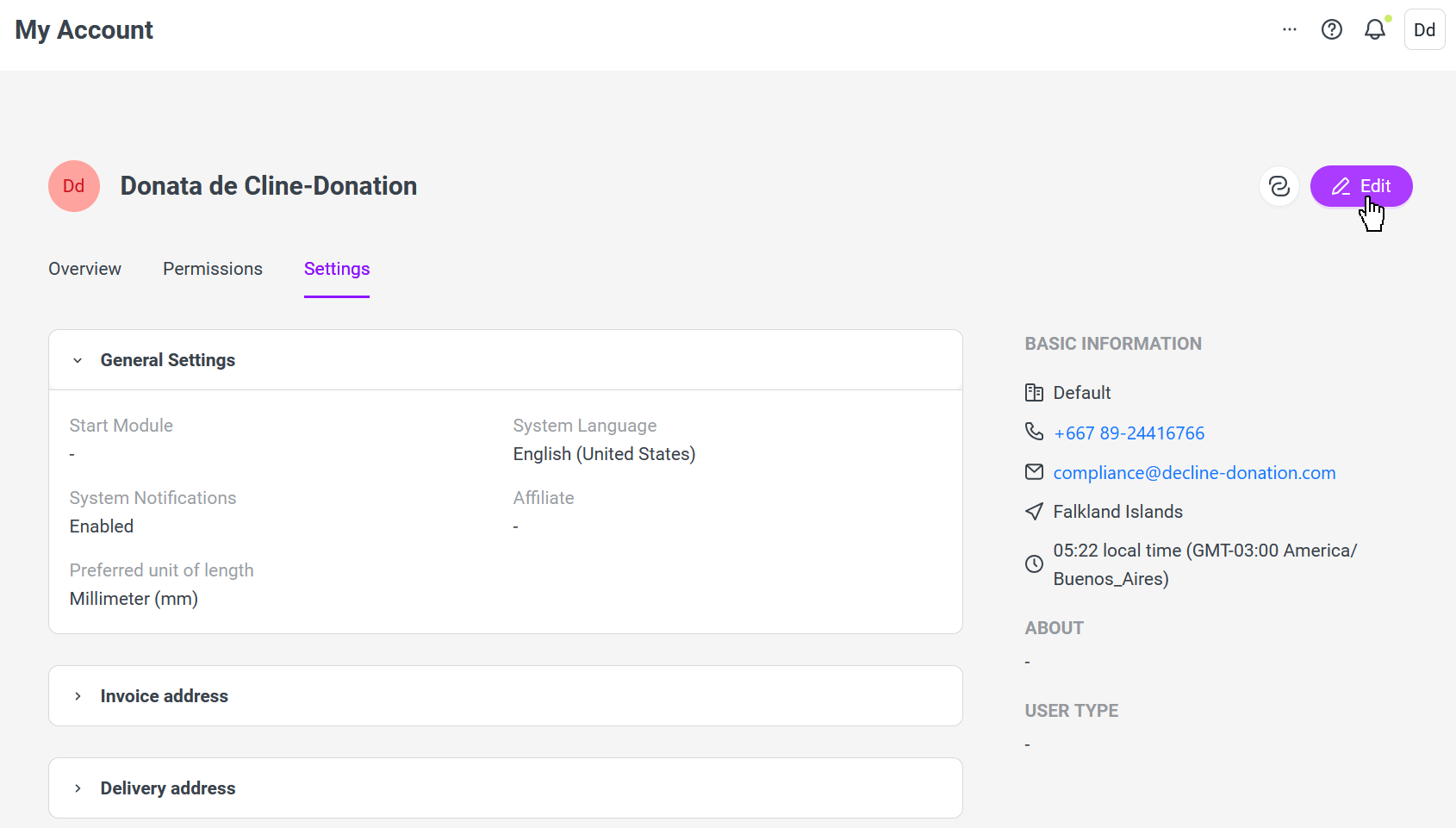
Improved user experience for User & General administration
We have enhanced the administrator experience by consolidating all user-related configurations into a single, intuitive interface, eliminating the previous scattered approach to user management.
Unified navigation menu
Uptempo now features a unified menu for Campaign Management, Financial Management and Work, improving the user experience and facilitating movement between modules. The new navigation sidebar allows you to seamlessly switch between different Uptempo modules, and eliminates the need to switch between separate navigation menus for the Campaign Management/Financial Management modules and the Work modules.
New support experience in Work
We have expanded our new in-app interactive support experience to Uptempo Work, to match the experience already available in Campaign Management & Financial Management. Uptempo Work users can now use the new support interface to directly search our help content, message the Support team, see news and announcements, and more — all without leaving the Uptempo product interface.
Uptempo Platform: Central Analytics
User List Report with export
To address a gap in version 8.0 system administration capabilities, we have reimplemented full user data export functionality in Tableau. This functionality enables comprehensive reporting of user activities and role assignments in Excel, empowering administrators to effectively monitor system usage, ensure license compliance, and make data-driven decisions about user management, while providing deeper insights than the previous export functionality offered.
User Activity Report
User Activity Reporting now integrates with Uptempo's user identity and access management system (Keycloak). This improved solution replaces fragmented legacy BrandMaker reporting tools, and provides consistent, detailed insights into user engagement metrics including login patterns and session data, while ensuring proper time zone handling and authentication support.
User Permission Report (Tableau)
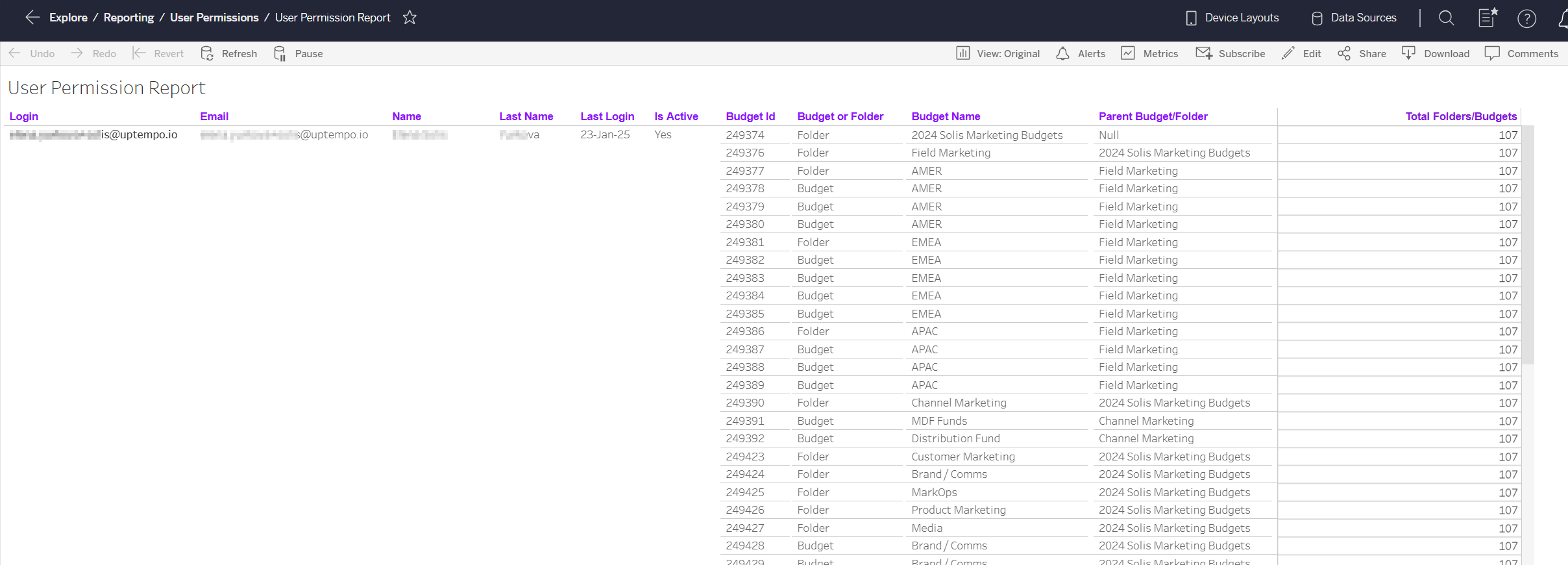
To resolve data access limitations related to the transition from legacy systems to the Uptempo unified platform, we have reworked the User Permission Report into a dual-reporting system. The new system consists of two reports: one in Tableau, which contains comprehensive user and budget data (such as login dates, names, etc.); and one in GoodData, which contains data about user roles and permissions. By using these two reports in tandem, administrators can maintain complete oversight of user management and access. This release makes the Tableau report available, joining the GoodData report that was previously released in the October 2024 release.