Duplicate activities
You can duplicate an existing activity to create another activity of the same type, and with the same attribute values.
If you duplicate an activity that has descendants in the hierarchy, all descendants (and their types and attribute data) will also be copied. The hierarchy paths of the descendant activities remain the same on the copies as they were on the originals (to learn more about activity hierarchy relationships and paths, see About activities and the activity hierarchy).
When you duplicate an activity:
All copies are created under the same parent as the original activity.
The copies have the same names, relationship structure, and attribute values (as shown on the Details section in the details panel) as the originals.
Copied activities do not keep the investment connections, estimated costs, connected investments, or performance and impact data of the originals.
Duplicate an activity
In the
 Activities section, find the activity you want to duplicate in the activity hierarchy panel, and click on the activity's name. The activity's details panel opens on the right: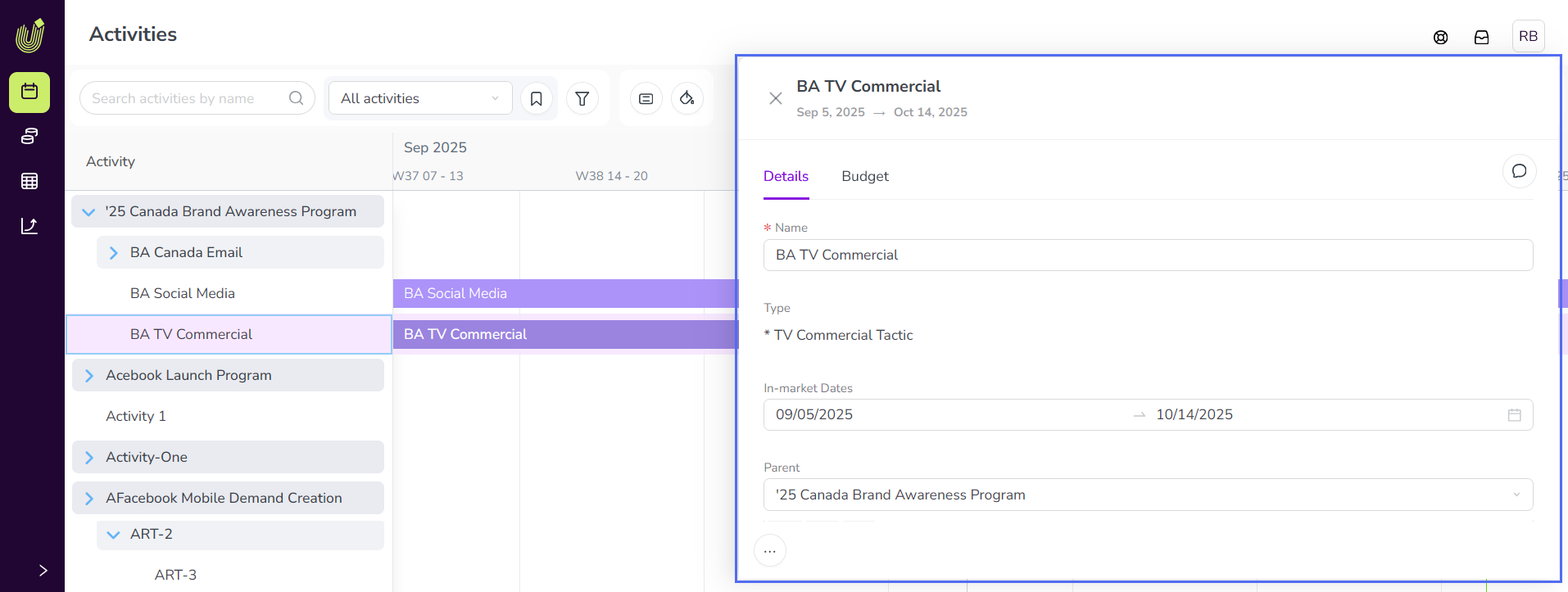
On any tab of the details panel, hold the pointer on
 Actions and click
  Duplicate.
The duplicated activity is immediately added under the same parent as the original activity, with "(copy)" added to the name (the same also applies to any duplicated descendant activities).
See Move activities to learn how to move a duplicated activity (and its descendants) to another part of the activity hierarchy.