Restore deleted investments
Deleted investment items are moved to the recycle bin for 30 days, where you can view and restore them if needed. After 30 days they are deleted permanently and can no longer be retrieved.
About restoring deleted investments
Restoring an item restores the details panel attributes for that investment if the attributes were not edited at the parent level while the item was in the bin. If the details panel attributes are edited when the item was in the bin, the edits are lost when the item is restored.
If there is a value in a column and users don’t have permission to edit that row or column, they will not be able to restore that item. Only an Owner or Administrator will be able to restore a investment that has a value in a locked column.
If an item is deleted that has manually entered POs or Actuals, the POs or Actuals will be lost when the item is restored.
Restore deleted investments
Restore a deleted investment item
In the
 Investments section, open the investment plan in which you want to restore a deleted investment.
In the toolbar above the investment grid, click
 Recycle Bin: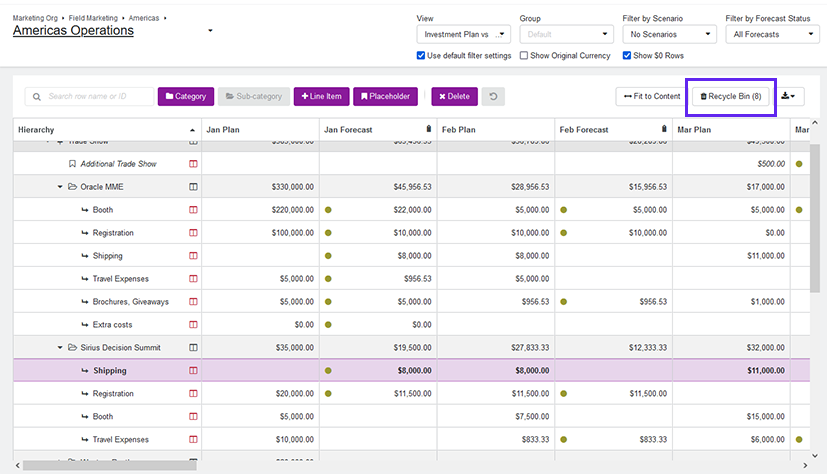
The Recycle Bin page for the selected investment plan opens and displays a list of all items currently in the recycle bin that are available to be recovered.
Click Restore on an investment item to restore it to the investment plan.
The selected item is removed from the recycle bin, and is returned to the investment plan.